
Introduction
Keeping digital information safe has become essential for individuals and businesses alike. This Data Security Guide explains the basics in simple language, making it suitable for beginners and intermediate readers. Whether you store family photos, financial records, or business files, protecting sensitive data reduces the risk of theft, loss, and unauthorized access. By understanding key security principles and following practical habits, you can confidently safeguard valuable information while enjoying the benefits of today’s connected digital world without unnecessary worry or confusion.
What is Data Security?
Data security refers to the methods, technologies, and policies used to protect digital information from unauthorized access, corruption, theft, or accidental loss. A good Data Security Guide covers passwords, encryption, backups, access controls, and safe online behavior.
For example, using a strong password and enabling two-factor authentication helps prevent unauthorized account access. Regular backups also ensure important files remain available after hardware failure or cyberattacks.
Why is Data Security Important?
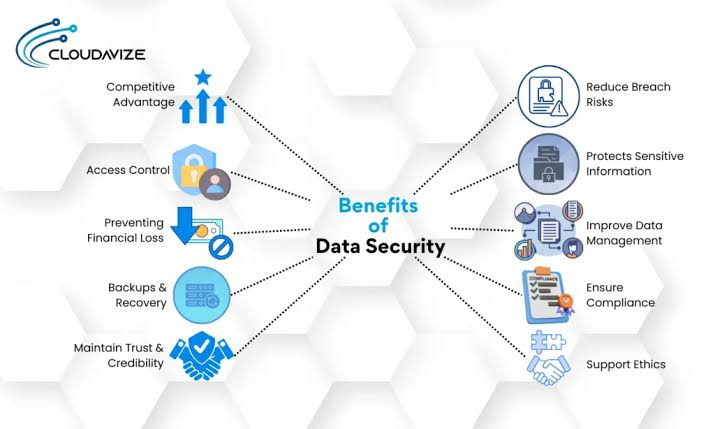
Strong data protection safeguards personal privacy, financial information, customer records, and business operations. Without proper security, cybercriminals may steal confidential information or disrupt essential services.
Following a reliable Data Security Guide reduces security risks, improves trust, supports legal compliance, and minimizes costly recovery efforts after security incidents.
Step-by-Step Guide
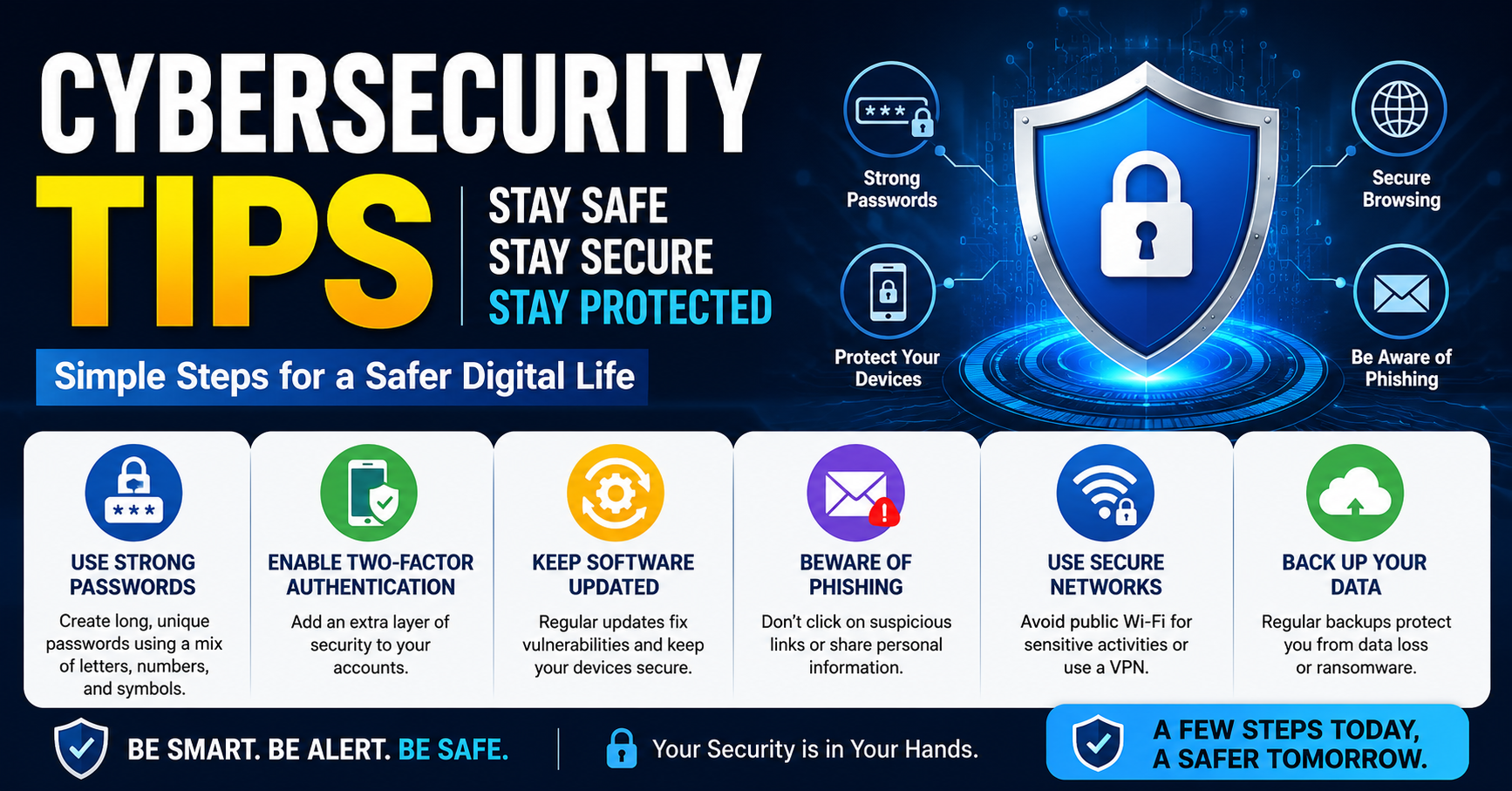
1. Create Strong Passwords
Use unique passwords containing letters, numbers, and symbols. Avoid predictable words like birthdays or names. Password managers help organize complex passwords securely.
2. Enable Multi-Factor Authentication
Add an extra verification step beyond your password. Even if someone discovers your password, additional authentication significantly improves account protection.
3. Keep Software Updated
Install operating system and application updates promptly. Security patches fix vulnerabilities that attackers often exploit.
4. Back Up Important Files
Store backups on external drives or secure cloud storage. Test backups regularly to ensure successful recovery when needed.
5. Recognize Phishing Attempts
Never click suspicious links or download unexpected attachments. Verify email senders before sharing confidential information.
6. Protect Devices
Install trusted antivirus software, lock devices with secure passwords, and avoid connecting to unsecured public networks without protection.
Benefits
Following this Data Security Guide offers several valuable advantages:
- Protects personal and business information.
- Reduces financial losses from cybercrime.
- Builds customer confidence and trust.
- Supports regulatory and legal compliance.
- Improves business continuity through reliable backups.
- Minimizes downtime after unexpected incidents.
Risks or Disadvantages
Although security practices provide strong protection, some challenges exist:
- Initial setup requires time and planning.
- Security software may involve additional costs.
- Complex passwords can be difficult to remember without management tools.
- Frequent updates occasionally interrupt regular work.
Common Mistakes to Avoid
Many users accidentally weaken their protection through simple errors. Reusing passwords across multiple accounts increases risk because one compromised password may expose several services. Ignoring software updates leaves known vulnerabilities unpatched.
Another common mistake is skipping backups until data is already lost. Sharing sensitive information through unsecured messaging platforms or public Wi-Fi also increases exposure. Following this Data Security Guide consistently helps avoid these preventable problems.
FAQs
What is the biggest threat to data security?
Phishing attacks, weak passwords, and outdated software remain common threats.
How often should I back up my files?
Back up important information regularly, especially after significant changes.
Is antivirus software enough?
No. Combine antivirus protection with updates, strong passwords, backups, and careful online behavior.
Why is encryption important?
Encryption keeps information unreadable to unauthorized users, protecting sensitive data during storage and transmission.
Can small businesses benefit from better security?
Yes. Every organization handling customer or financial information should implement strong security practices.
Expert Tips
Review account permissions regularly and remove unnecessary access. Use encrypted storage for confidential files and monitor accounts for unusual activity. Educate family members or employees about safe online habits because human error often causes security incidents. Finally, treat cybersecurity as an ongoing process instead of a one-time task. Applying this Data Security Guide consistently creates stronger long-term protection against evolving digital threats.
Conclusion
Protecting information does not require advanced technical knowledge. Small, consistent actions make a significant difference in reducing digital risks. By using strong passwords, enabling multi-factor authentication, updating software, creating backups, and recognizing phishing attempts, anyone can improve online safety. This Data Security Guide provides practical strategies that are easy to follow and suitable for everyday use. Make security part of your daily routine, review your practices regularly, and stay informed about new threats to keep your valuable information protected for years ahead.