
Introduction
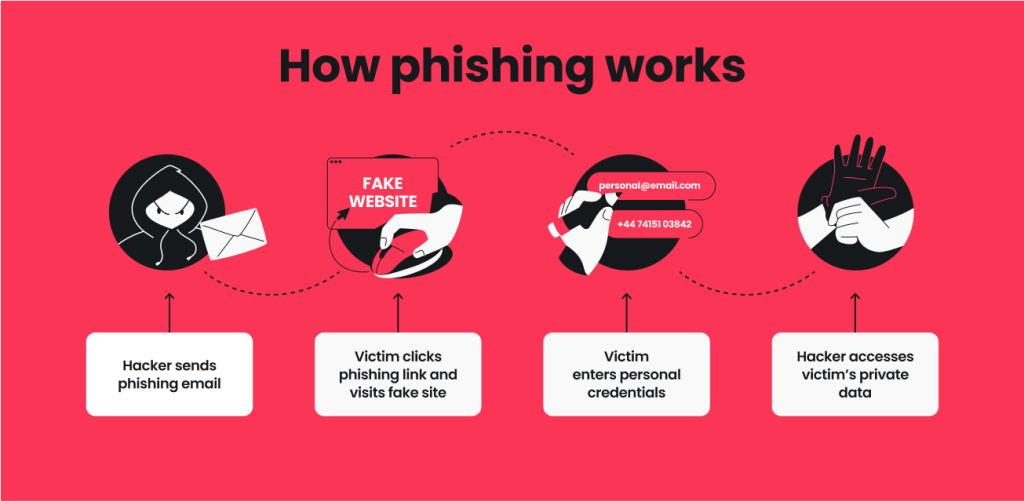
The internet has become an essential part of everyday life, from online shopping and banking to education and entertainment. While these services offer convenience, they also expose users to cyber threats such as malware, phishing, and identity theft. This Internet Safety Tools guide is designed for beginners and intermediate readers who want to improve their online security. By understanding the right tools and using them correctly, you can protect your personal information, reduce digital risks, and enjoy a safer online experience every day.
What are Internet Safety Tools?
Internet Safety Tools are software applications, services, and security features that help protect users from online threats. These tools include antivirus programs, firewalls, password managers, virtual private networks (VPNs), spam filters, and parental controls.
For example, an antivirus application scans your computer for malicious software, while a password manager stores strong, unique passwords securely. Together, these solutions create multiple layers of digital protection.
Why are Internet Safety Tools Important?
Using reliable Internet Safety Tools helps prevent cyberattacks, unauthorized access, and data theft. As online threats continue to evolve, depending on a single security measure is no longer enough.
These tools improve privacy, secure personal information, protect financial transactions, and reduce the chances of malware infections. They also provide greater confidence when browsing websites, downloading files, or using public internet connections.
Step-by-Step Guide
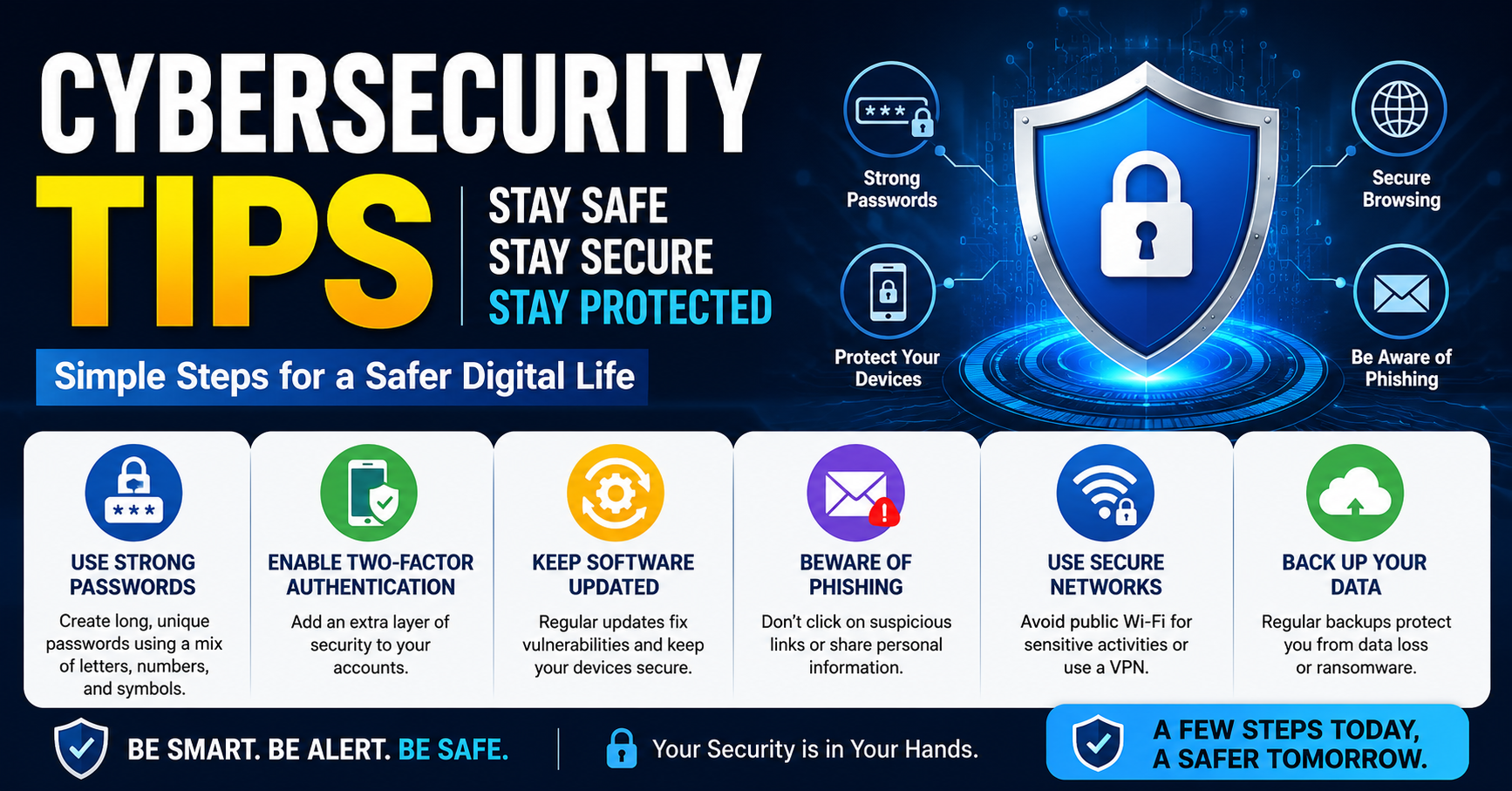
1. Install Trusted Antivirus Software
Choose a reputable antivirus program and keep it updated to detect the latest threats.
2. Enable Your Firewall
A firewall monitors incoming and outgoing network traffic, blocking suspicious connections before they reach your device.
3. Use a Password Manager
Store unique passwords securely and generate strong credentials for every online account.
4. Turn On Multi-Factor Authentication
Add an extra verification step to improve account security, even if a password becomes compromised.
5. Browse Securely
Check for secure website connections and avoid downloading files from unknown sources.
6. Keep Software Updated
Install operating system and application updates regularly because they include important security improvements.
Benefits
Following this Internet Safety Tools guide provides several valuable advantages:
- Protects personal and financial information.
- Reduces the risk of malware infections.
- Improves online privacy.
- Secures passwords and user accounts.
- Prevents unauthorized network access.
- Creates safer browsing habits.
Risks or Disadvantages
Although these tools offer excellent protection, users should understand a few limitations:
- Premium security software may require subscriptions.
- Incorrect settings can reduce effectiveness.
- Some applications may slightly affect device performance.
- Security tools cannot replace careful online behavior.
Common Mistakes to Avoid
Many people install security software but forget to update it regularly. Outdated protection cannot recognize the latest cyber threats. Another common mistake is relying only on antivirus software while ignoring password security or software updates.
Using public Wi-Fi without protection and downloading files from unknown websites also increases security risks. Following this Internet Safety Tools guide consistently helps prevent these common mistakes and strengthens your overall online safety.
FAQs
What are the most important internet safety tools?
Antivirus software, firewalls, password managers, VPNs, and multi-factor authentication are among the most useful.
Do I need antivirus software on every device?
Yes. Every internet-connected device benefits from updated security protection.
Can internet safety tools stop every cyberattack?
No. They greatly reduce risk but should be combined with safe online habits.
Why should I update security software?
Updates include protection against newly discovered threats and security vulnerabilities.
Are free internet safety tools effective?
Some free options provide basic protection, but premium versions often include advanced security features.
Expert Tips
Review your security settings regularly and remove unused applications that may create vulnerabilities. Enable automatic updates whenever possible to receive the latest security improvements without delay. Use encrypted backups for important files and monitor account activity for unusual behavior. Educating family members about safe browsing habits is equally important because human error often leads to security incidents. Applying these Internet Safety Tools consistently creates stronger long-term protection against changing cyber threats.
Conclusion
Protecting your digital life requires more than simply installing one security application. Combining antivirus software, firewalls, password managers, secure browsing practices, regular updates, and multi-factor authentication creates a stronger defense against online threats. This Internet Safety Tools guide provides practical recommendations that anyone can follow regardless of technical experience. By making cybersecurity part of your daily routine and staying aware of emerging risks, you can enjoy the internet with greater confidence while protecting your personal information, devices, and valuable online accounts for the future.