
Introduction
Strong passwords are one of the simplest yet most effective ways to protect your digital life. This Password Security Tips guide is designed for beginners and intermediate users who want to secure their online accounts against hackers and cybercriminals. Every day, people use passwords for banking, shopping, email, and social media, making them valuable targets for attackers. By following smart password practices and understanding common security risks, you can significantly reduce the chances of unauthorized access while keeping your personal and financial information safe.
What are Password Security Tips?
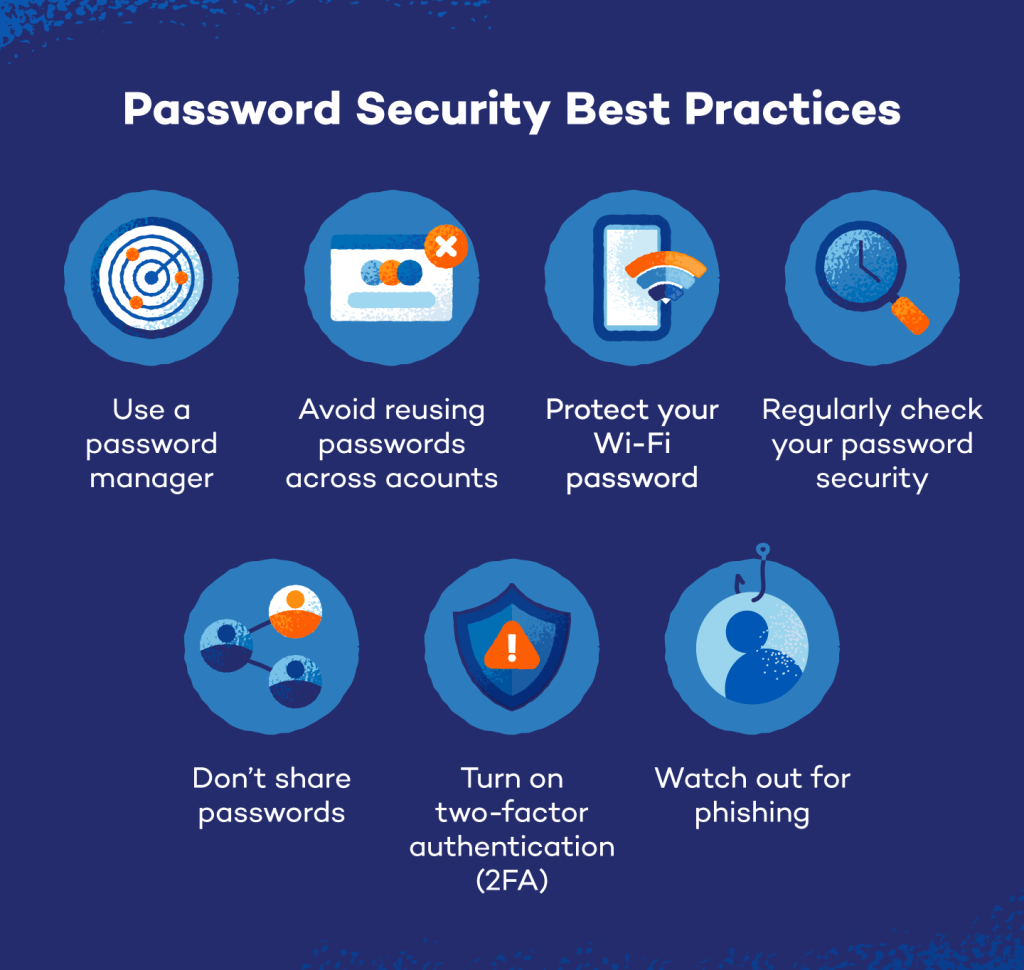
Password Security Tips are best practices that help users create, manage, and protect strong passwords for online accounts. These practices include using unique passwords, enabling multi-factor authentication, storing credentials securely, and avoiding predictable combinations.
For example, instead of using “Password123,” create a longer passphrase such as “BlueRiver!Mountain82” that is difficult to guess but easier to remember.
Why are Password Security Tips Important?
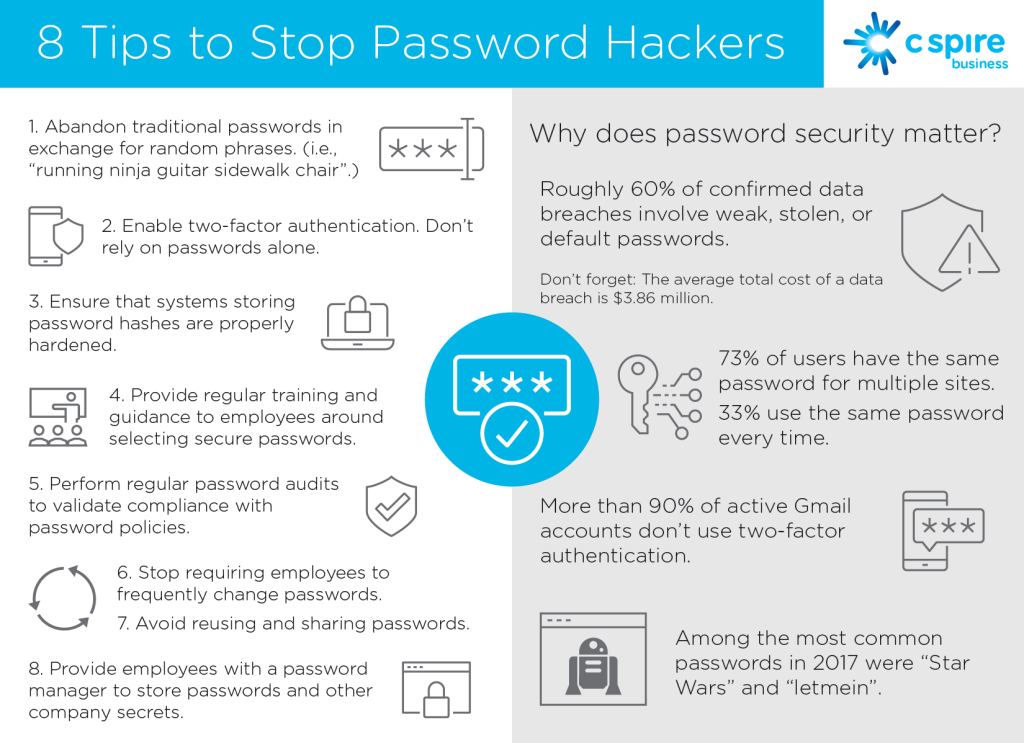
Following reliable Password Security Tips protects sensitive information from cyberattacks, identity theft, and unauthorized account access. Weak passwords remain one of the leading causes of security breaches because attackers often use automated tools to guess common combinations.
Strong password habits also improve personal privacy, protect business data, and reduce financial risks associated with compromised accounts.
Step-by-Step Guide
1. Create Long and Unique Passwords
Use at least twelve characters with uppercase letters, lowercase letters, numbers, and symbols. Avoid personal information such as birthdays or names.
2. Use a Password Manager
A password manager stores complex passwords securely and generates strong credentials for every account.
3. Enable Multi-Factor Authentication
Add a second verification method such as a code sent to your phone or an authentication application.
4. Update Passwords When Necessary
Change passwords immediately after a suspected security breach or unauthorized login attempt.
5. Avoid Sharing Passwords
Never share passwords through email, text messages, or unsecured communication channels.
6. Monitor Account Activity
Review login history and security alerts regularly to detect unusual account activity quickly.
Benefits
Following these Password Security Tips offers several important advantages:
- Protects personal and financial information.
- Reduces the risk of identity theft.
- Improves online privacy.
- Prevents unauthorized account access.
- Supports better cybersecurity habits.
- Builds confidence while using digital services.
Risks or Disadvantages
Although strong password practices provide excellent protection, users may face a few challenges:
- Complex passwords can be difficult to remember without a password manager.
- Multi-factor authentication adds an extra login step.
- Managing many unique passwords requires organization.
- Recovering forgotten passwords may take additional time.
Common Mistakes to Avoid
Many people reuse the same password across multiple websites. If one account is compromised, attackers may gain access to several others. Another mistake is choosing simple passwords based on birthdays, names, or common words that are easy to guess.
Writing passwords on paper or saving them in unsecured files also creates unnecessary risks. Ignoring security notifications and failing to update compromised passwords weakens protection. Consistently applying these Password Security Tips helps eliminate these avoidable mistakes.
FAQs
How long should a secure password be?
A password should contain at least twelve characters with a mix of different character types.
Is a password manager safe?
Yes. Trusted password managers securely store and generate strong passwords.
Should every account have a different password?
Yes. Unique passwords prevent one security breach from affecting multiple accounts.
What is multi-factor authentication?
It adds another verification step beyond your password for stronger protection.
How often should passwords be changed?
Update passwords immediately after a suspected breach or when security concerns arise.
Expert Tips
Create memorable passphrases instead of short words because longer passwords are generally harder to crack. Enable login alerts to receive notifications about suspicious activity. Review account recovery information regularly to ensure it remains accurate. Educate family members about safe password habits since shared devices can increase security risks. Following these Password Security Tips consistently creates stronger long-term protection against evolving cyber threats.
Conclusion
Strong passwords remain one of the most effective defenses against cybercrime. By creating unique passwords, enabling multi-factor authentication, using password managers, monitoring account activity, and avoiding common mistakes, you can greatly improve your online security. This Password Security Tips guide provides practical advice that anyone can apply without advanced technical knowledge. Make password protection part of your daily digital routine, stay alert to security threats, and review your accounts regularly to keep your personal information safe for years to come.